Published on 27 Apr 2026
Infinite scroll for icons
Last year I implemented infinite scroll for icons on Iconify website, and it was a huge mistake.
As many other fancy features, it seemed like a good idea, but in practice it was a nightmare to make it work well.
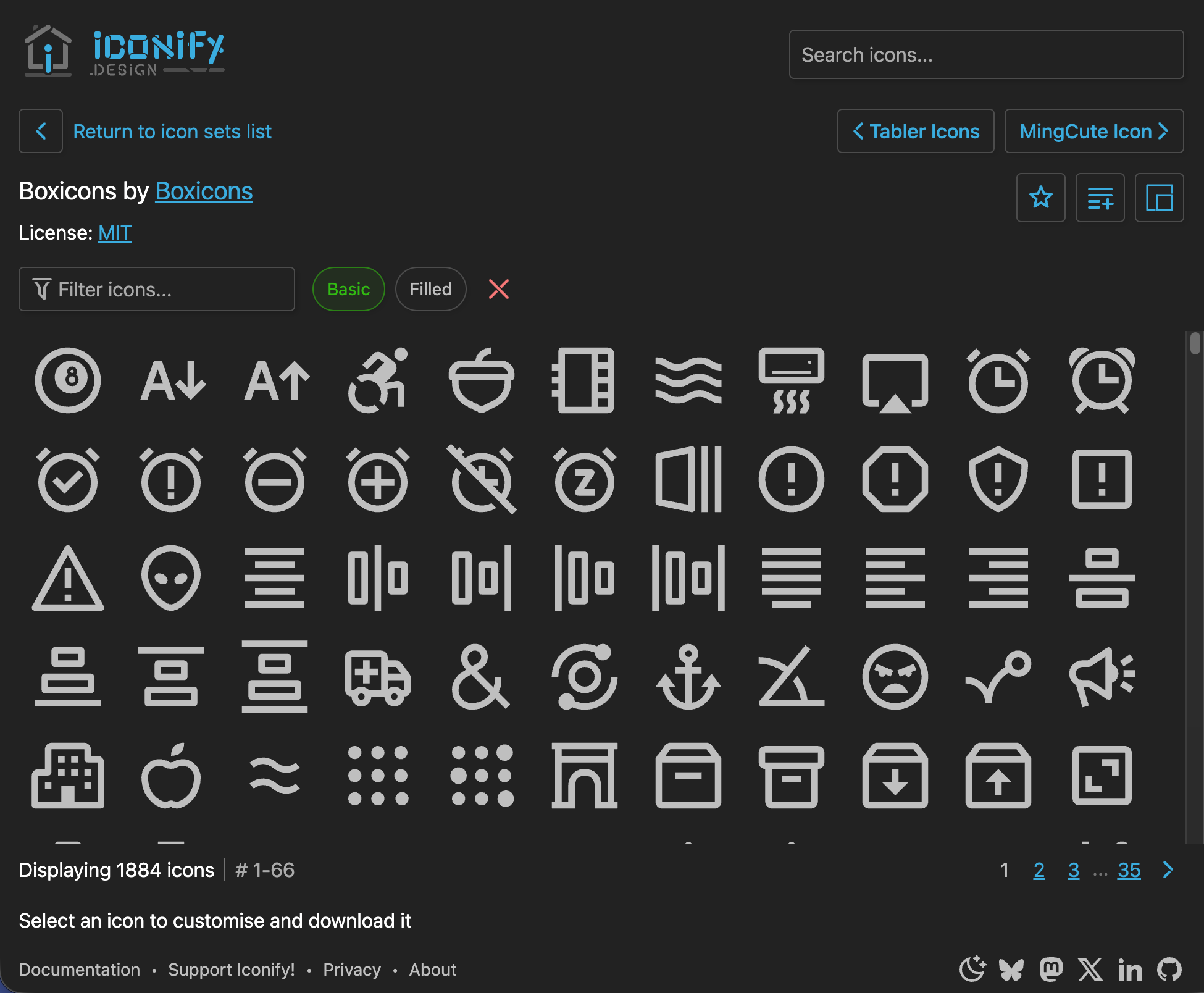
How it works
Implementation is rather simple.
There is a container that has a fixed height and overflow set to scroll.
All rows are rendered inside this container, but shown only when they are in the viewport.
Number of rows is calculated based on grid size and container width, this is done in JavaScript.
Double scrollbar issue
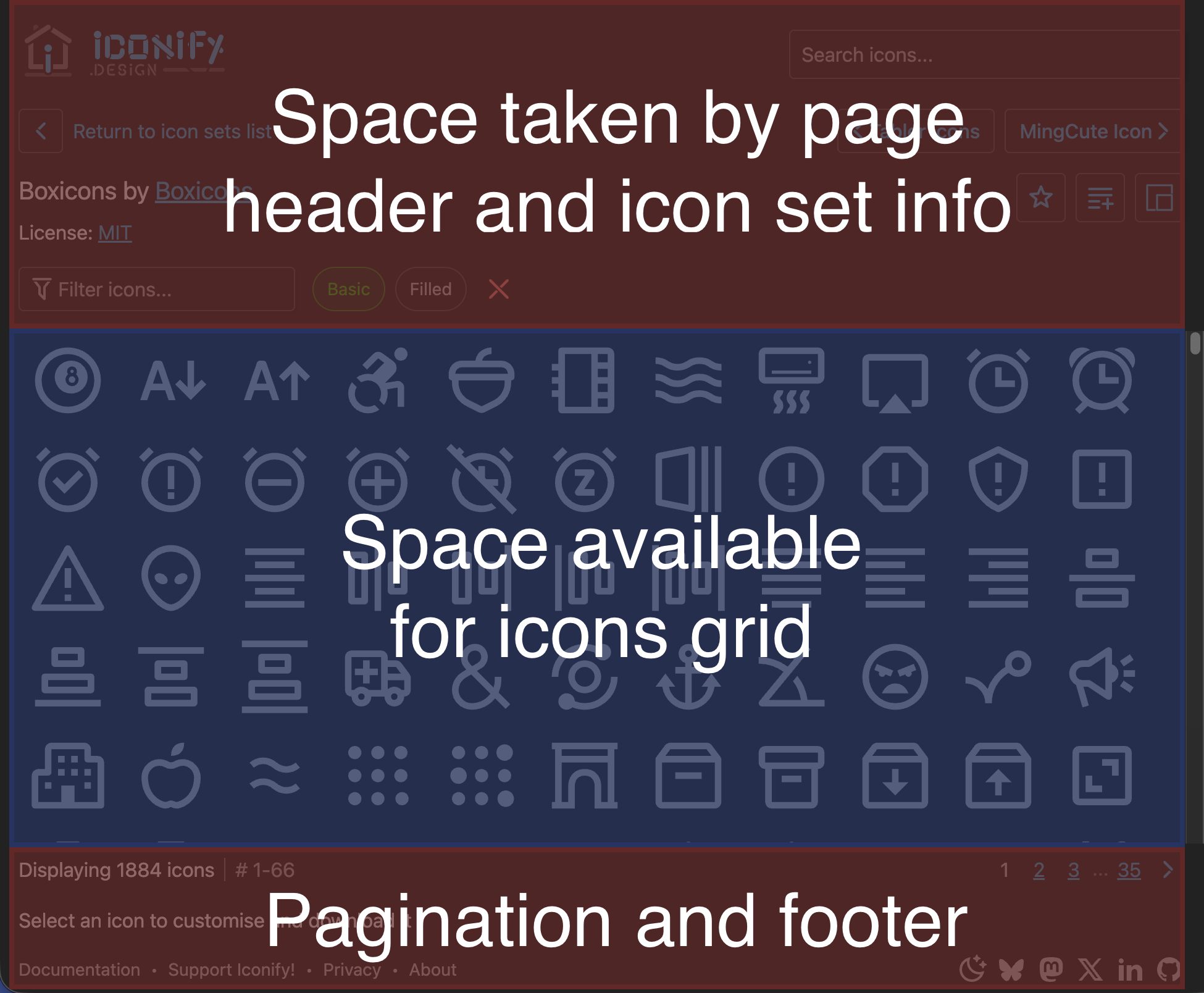
To show all page elements, page must either have a double scrollbar or all page elements must be visible at all times.
Double scrollbar
Double scrollbar is a nightmare to use, user needs to understand what is being scrolled, UI becomes messy.
So double scrollbar is not a good option.
Showing all elements
Alternative is to show all elements at all times.
That was the solution I initially implemented, but it has its own issues.
Issues:
- Header and footer are shown at all times, taking up precious screen space.
- Icons list becomes smaller, which is a big issue on small screens, so for small screens UI should switch to double scrollbar.
Code samples
Then there was a huge issue I did not initially consider: code samples.
When clicking any icon, code samples are shown for that icon. But where to show them?
First I tried showing it in a dialog, but that was not working well, because it was covering icons list and making it unusable.
Then I moved it to footer, but above content, so it was covering page footer and bottom part of icons list. However, that was not working well for icons with many customisation options, making it unusable for some users.
Last solution is to show code samples below icons list and using a second scrollbar for page.
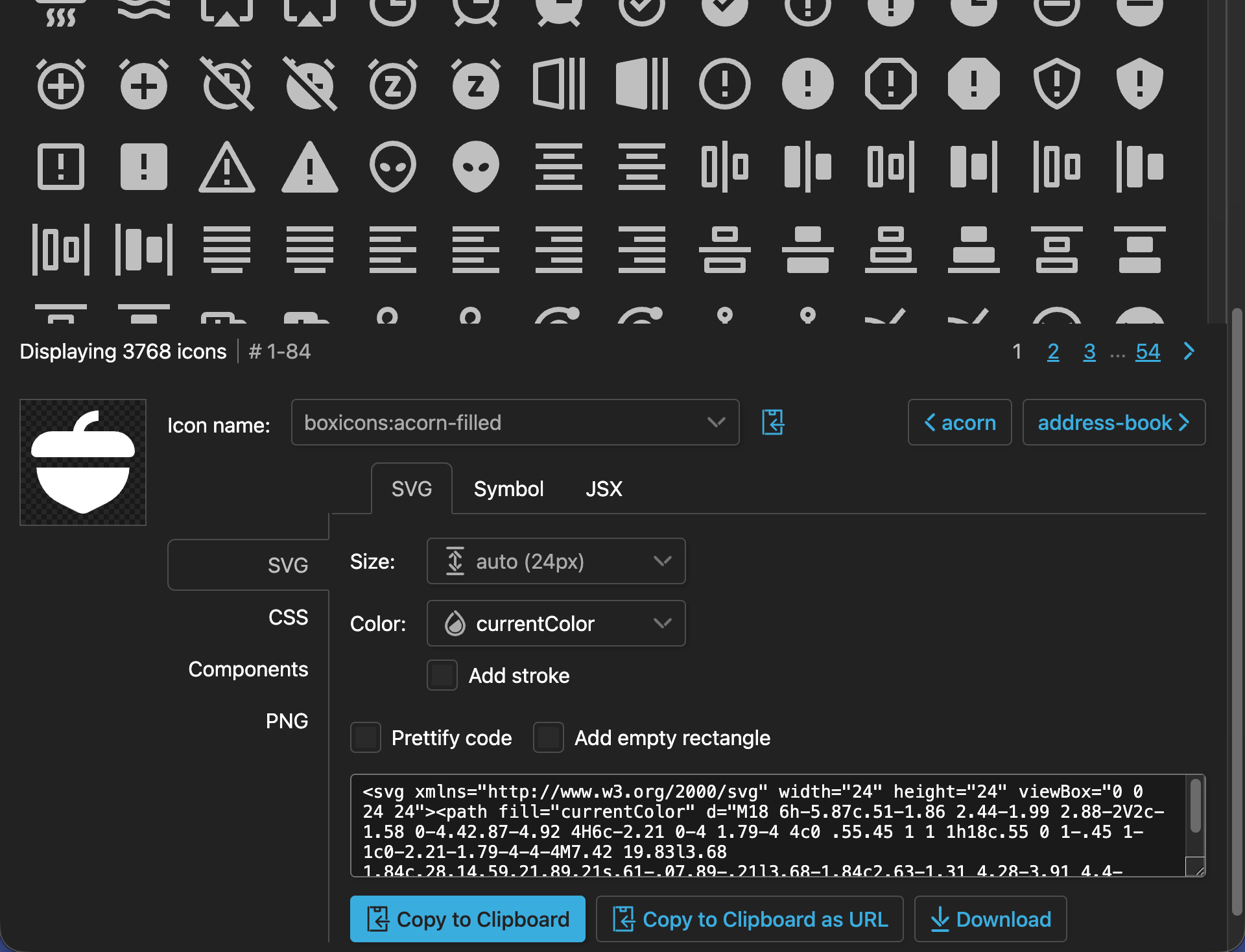
All those solutions were not good.
SEO
Then there was the issue of SEO.
Icons list is rendered on server with assumption of certain number of rows and columns, otherwise all icons must be rendered.
Then during hydration, JavaScript calculates actual number of rows and columns based on page width and updates icons list, but that causes a huge layout shift, which is bad for SEO.
Forget about pagination in SEO, scrolling on first render is another massive layout shift.
Reverting to fixed pagination
After a year of trying to fix infinite scroll, I finally decided to revert to good old fixed pagination.
Advantages of fixed pagination:
- No multiple scrollbars to deal with.
- No JavaScript required to calculate UI, so no layout shifts on page load, which is good for SEO.
- More space for various UI elements, such as code samples and options.
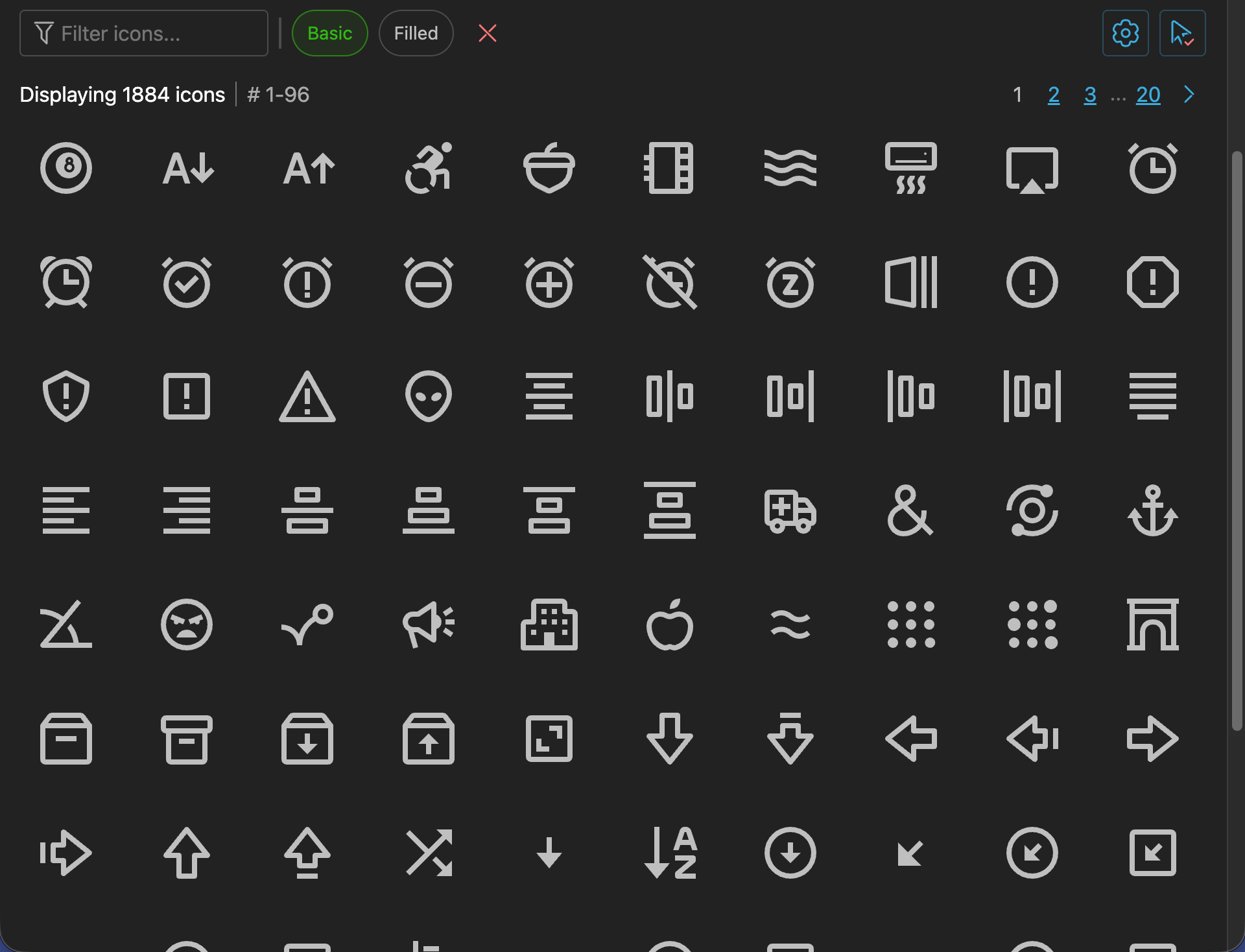
Want to navigate to the next page? There are pagination blocks above and below icons list.

Code samples
Finally there is more space for code samples.
I have implemented it by showing code sample in a row below currently selected icon, so no need to scroll anywhere and code samples can take as much space as needed.
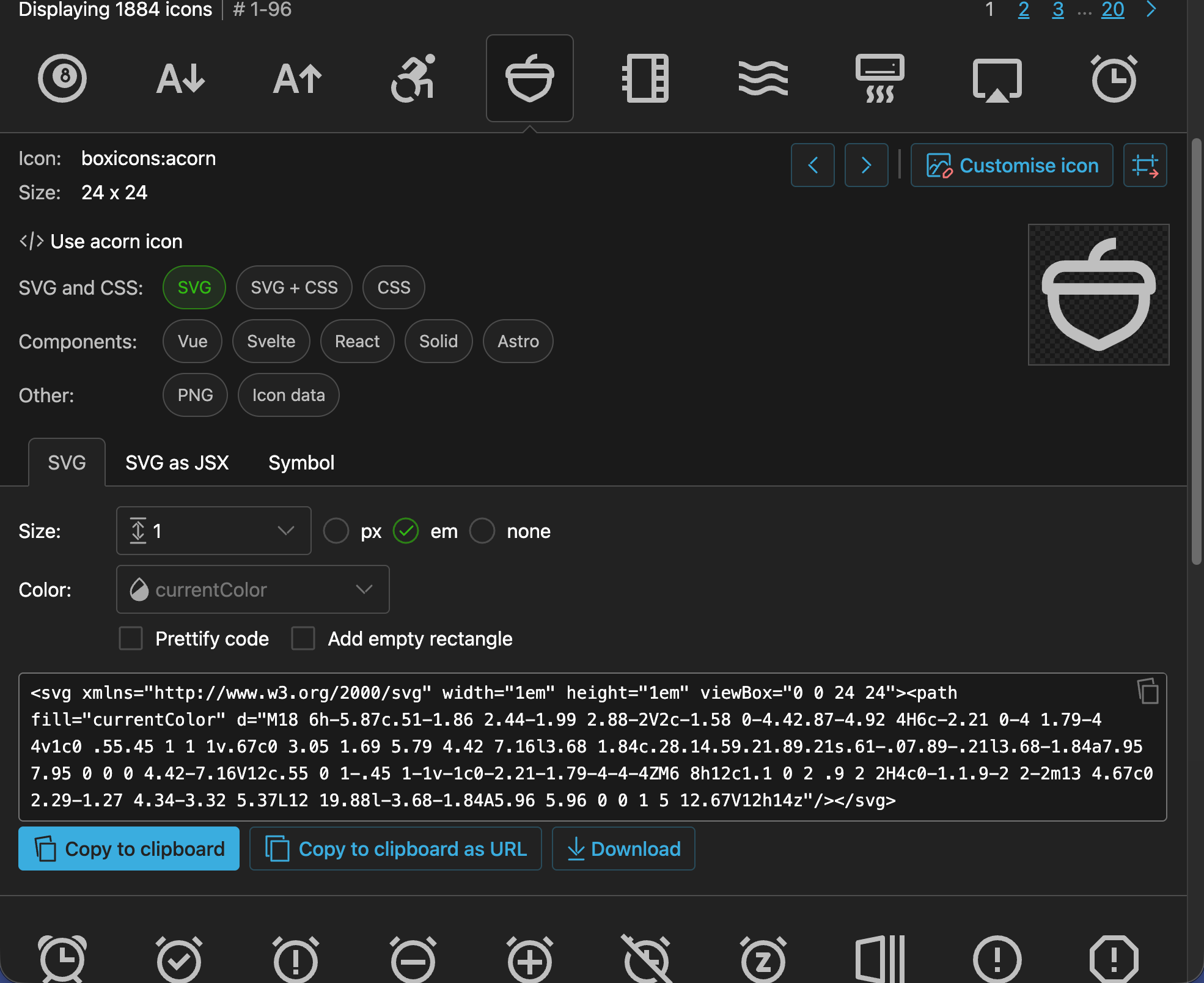
One issue is selecting icons in rows below currently selected icon, which requires scrolling down beyond code samples, but to help with that there are previous/next buttons in top right corner of code samples, so you can easily navigate to next/previous icon without scrolling.
Settings
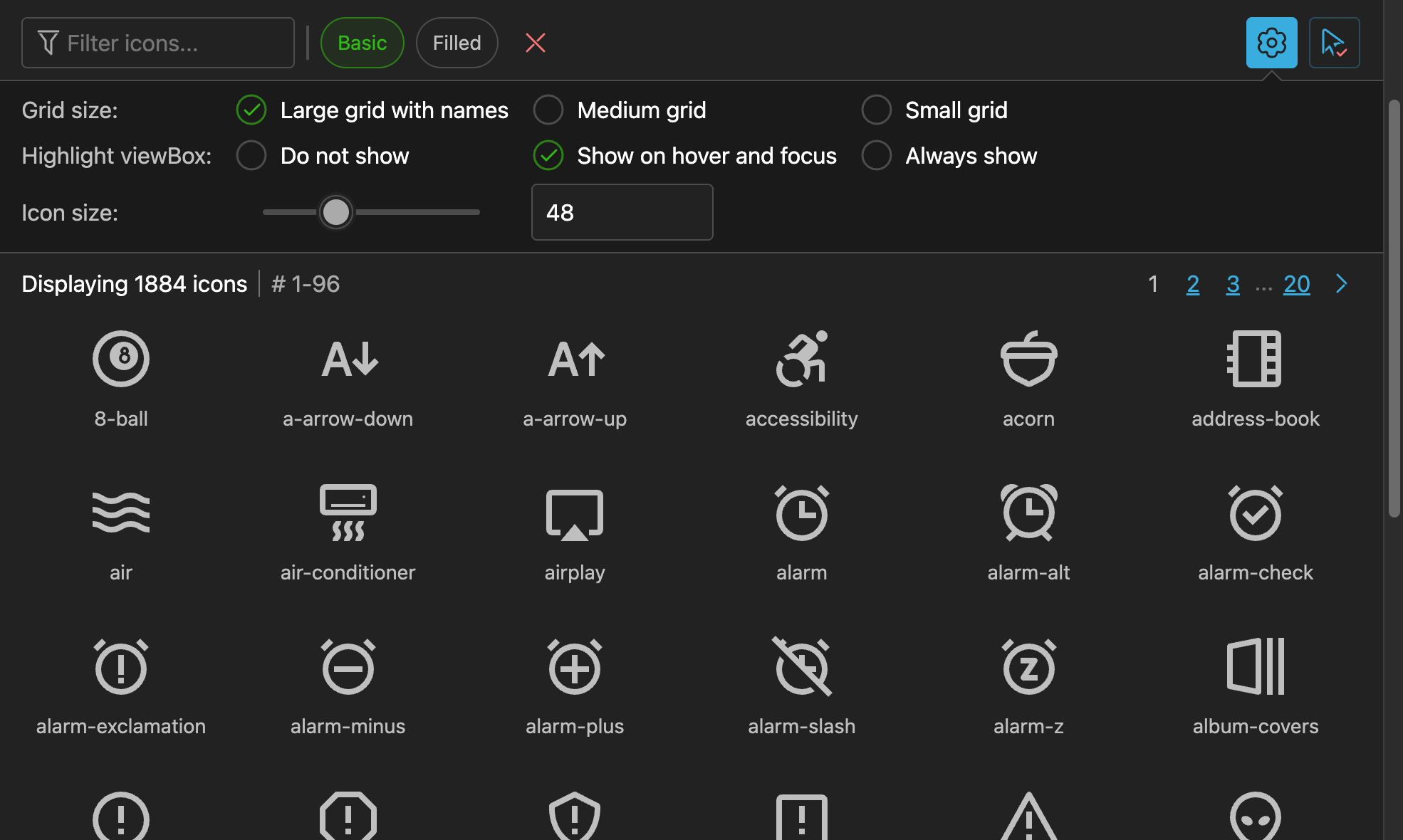
Additionally, now icons grid can be bigger, so there are options to show icon names and change icon size.
Conclusion
Should have never implemented infinite scroll in the first place, it was a huge mistake.
Sometimes simple is better. Actually, not sometimes, but usually.
New UI will be released when it is ready, probably in May 2026.